Selected assets
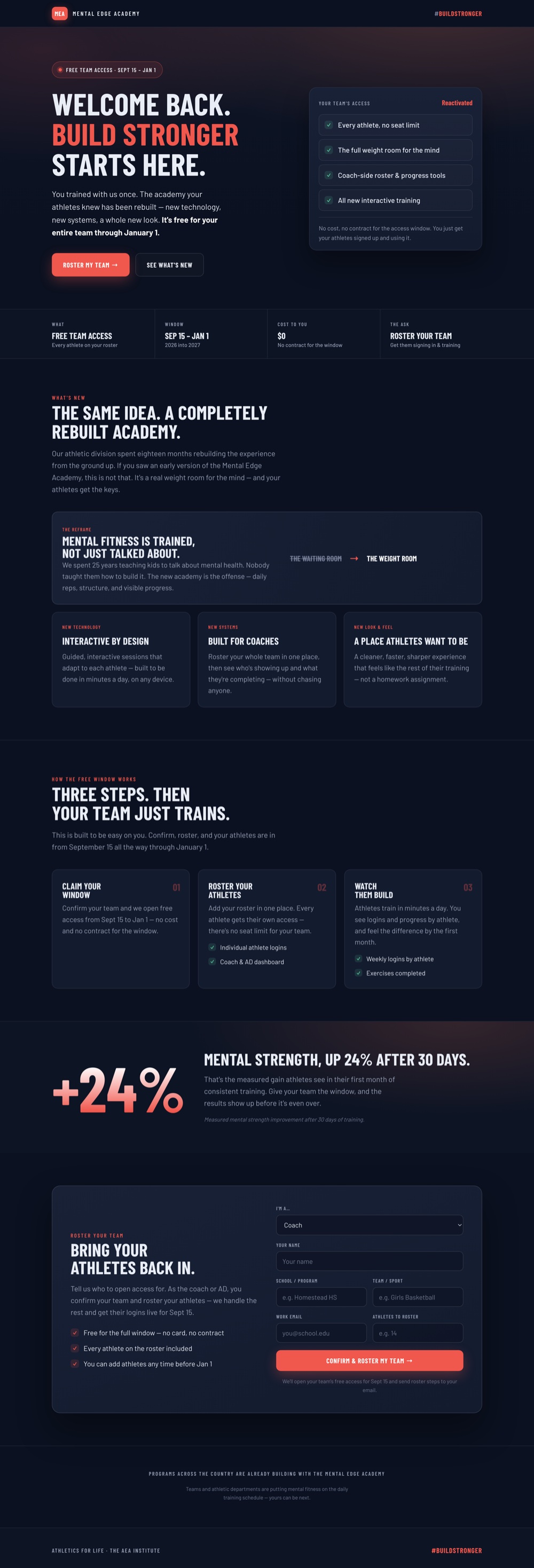
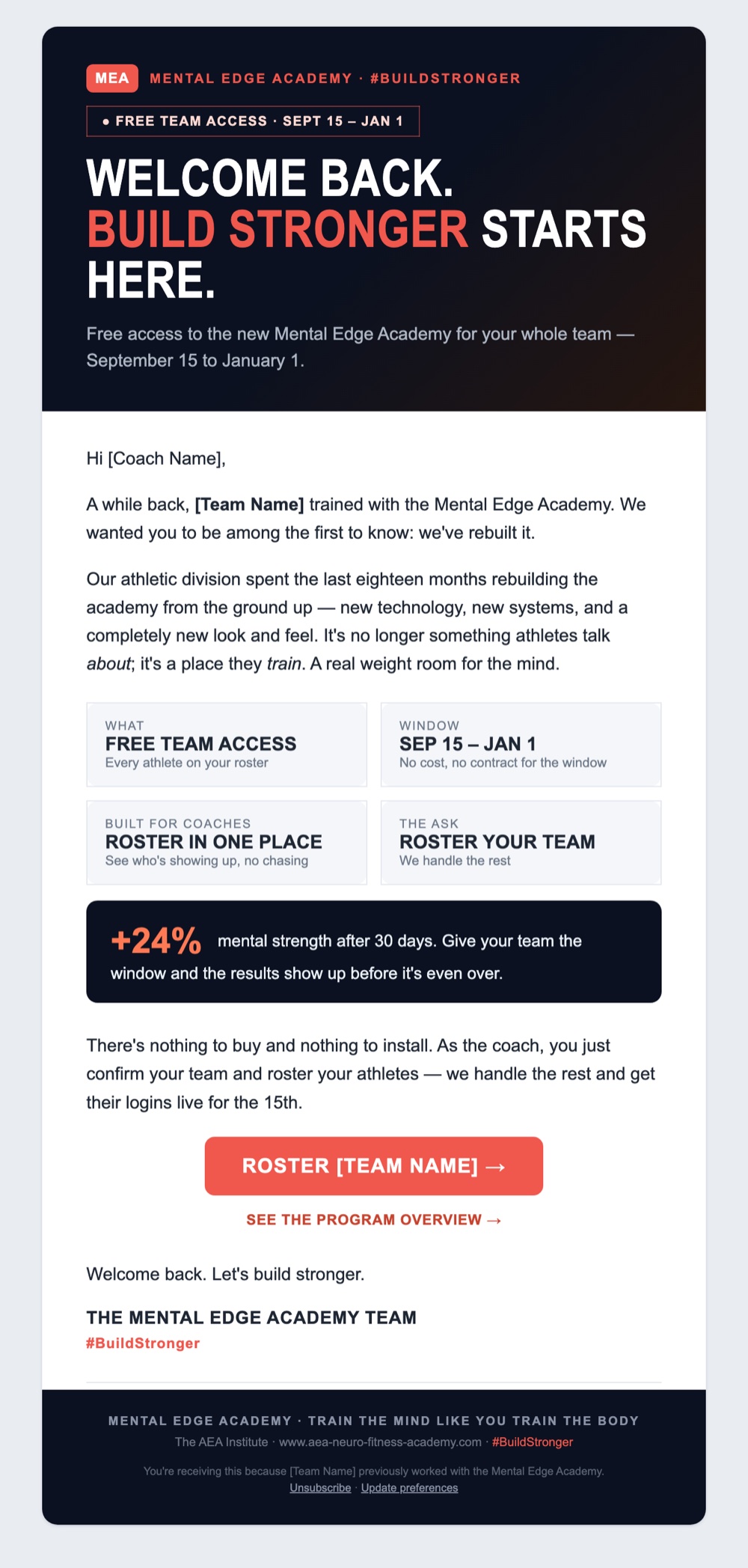
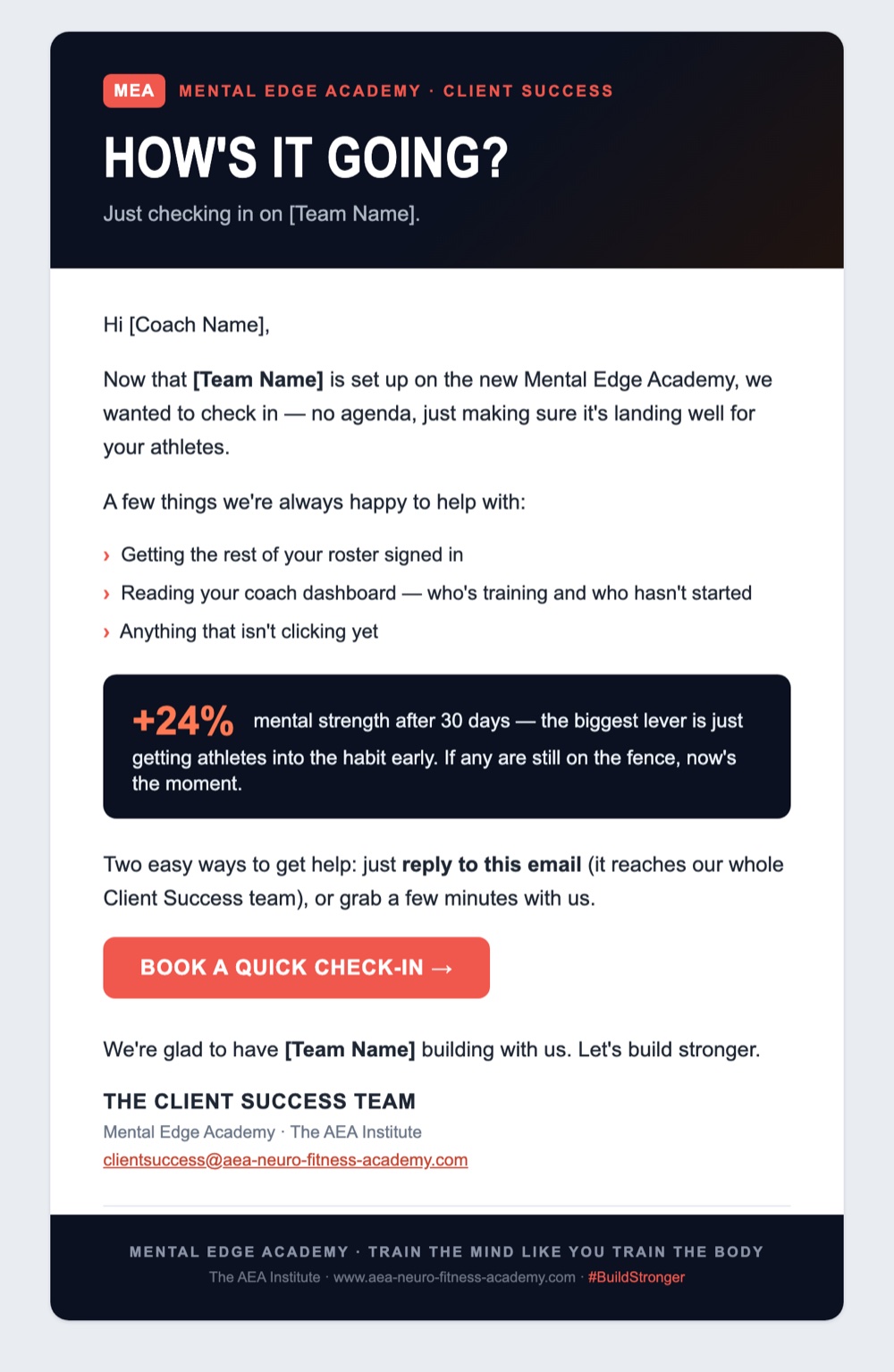
The reactivation campaign, as it shipped
Case Study · Campaign Operations
Two campaigns, one habit: clean the list first, then build the system that keeps outreach moving. A regional sponsorship push and a client reactivation campaign, both run on pipelines I set up, filled, and kept clean.
Campaign 1 · Sponsorship pipeline
Leadership set a four-week goal to land local sponsors. Each point person had daily targets for calls, personal emails, and group sends. The starting list was about 360 contacts in a spreadsheet, with no shared way to see who had been contacted, who had answered, or who was due for a follow-up.
Before
About 360 contacts, no shared tracking
A list in a spreadsheet, with no stages, no follow-up dates, and no record of who had already been contacted.
After week one
1,018 contacts in one pipeline
654 new leads researched and loaded, each with a stage, a follow-up date, and a log of every touch.
What I did
Data hygiene
Bad data makes a campaign look bigger than it is and lands it in spam. So I count at the contact level, remove duplicates, and keep only addresses that should get the email.
Campaign 2 · Client reactivation
Years of prospect and customer data sat in four overlapping spreadsheets. There was no safe way to tell who was active, who had lapsed, or who was mid-conversation with sales, and every new signup was onboarded by hand.
Before
Four overlapping spreadsheets
No clean way to run a campaign without emailing the wrong people.
After
One deduplicated list and an automated funnel
80+ teams consolidated and checked against live activity, segmented messages, a landing page, and instant onboarding.
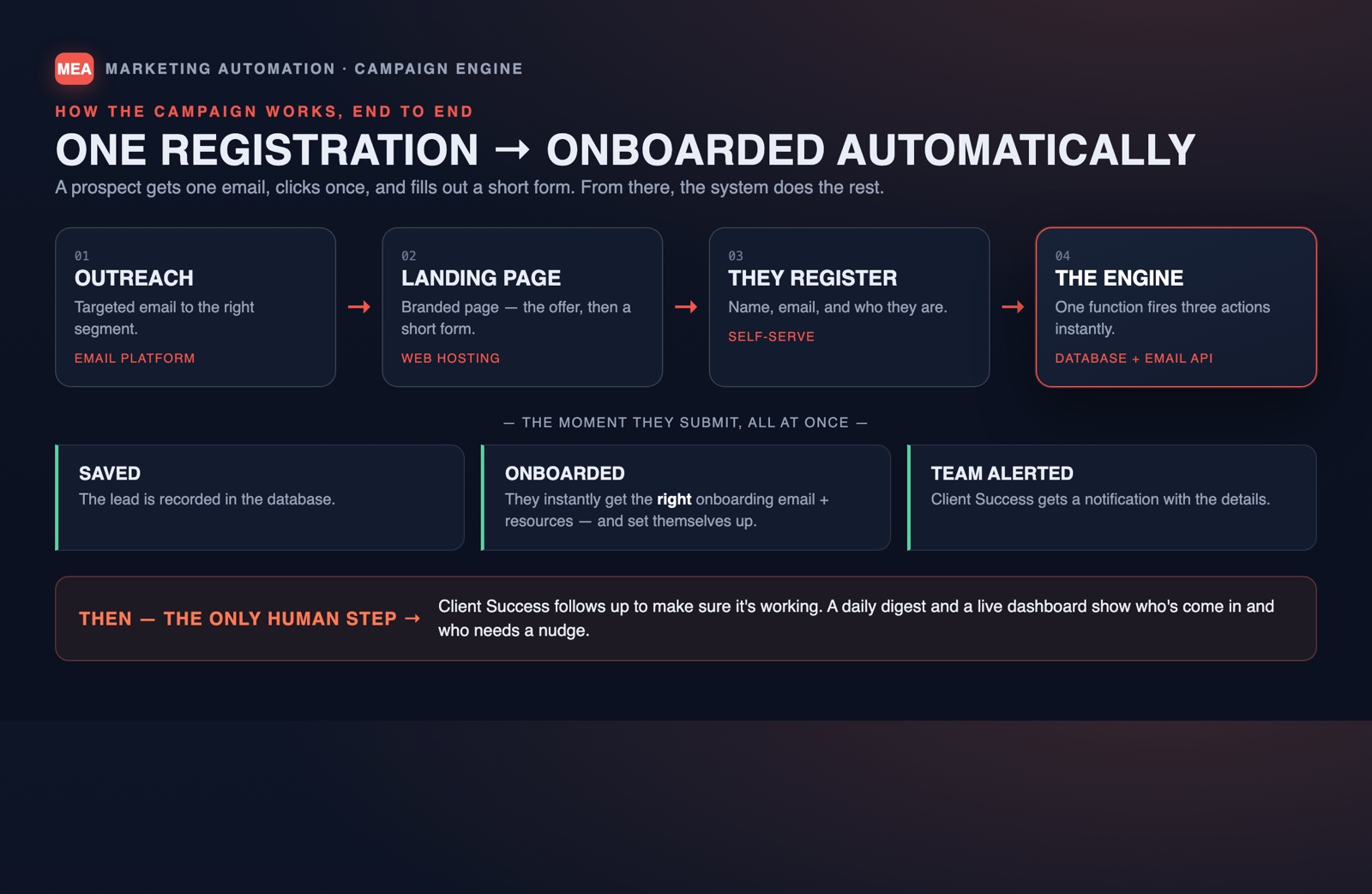
01
Outreach
The right message to the right segment.
02
Landing page
The offer, then a short form.
03
They register
Name, email, and who they are.
04
The engine
One trigger fires three actions.
The moment they submit
Saved
The lead is recorded in the database.
Onboarded
The right onboarding email and resources go out instantly.
Team alerted
Client success gets a notification with the details.
The only human step: client success follows up to make sure it's working. A daily digest and a live dashboard show who came in and who needs a nudge.
Selected assets
What the systems achieved